
Using Hostly
Home screen
See your upcoming events and jump back into the plans that need your attention.
Choose the event list you need
Use Upcoming for what is next, Hosting for events you manage, or All for your complete event list. The count beside each tab shows how many events are in that view.
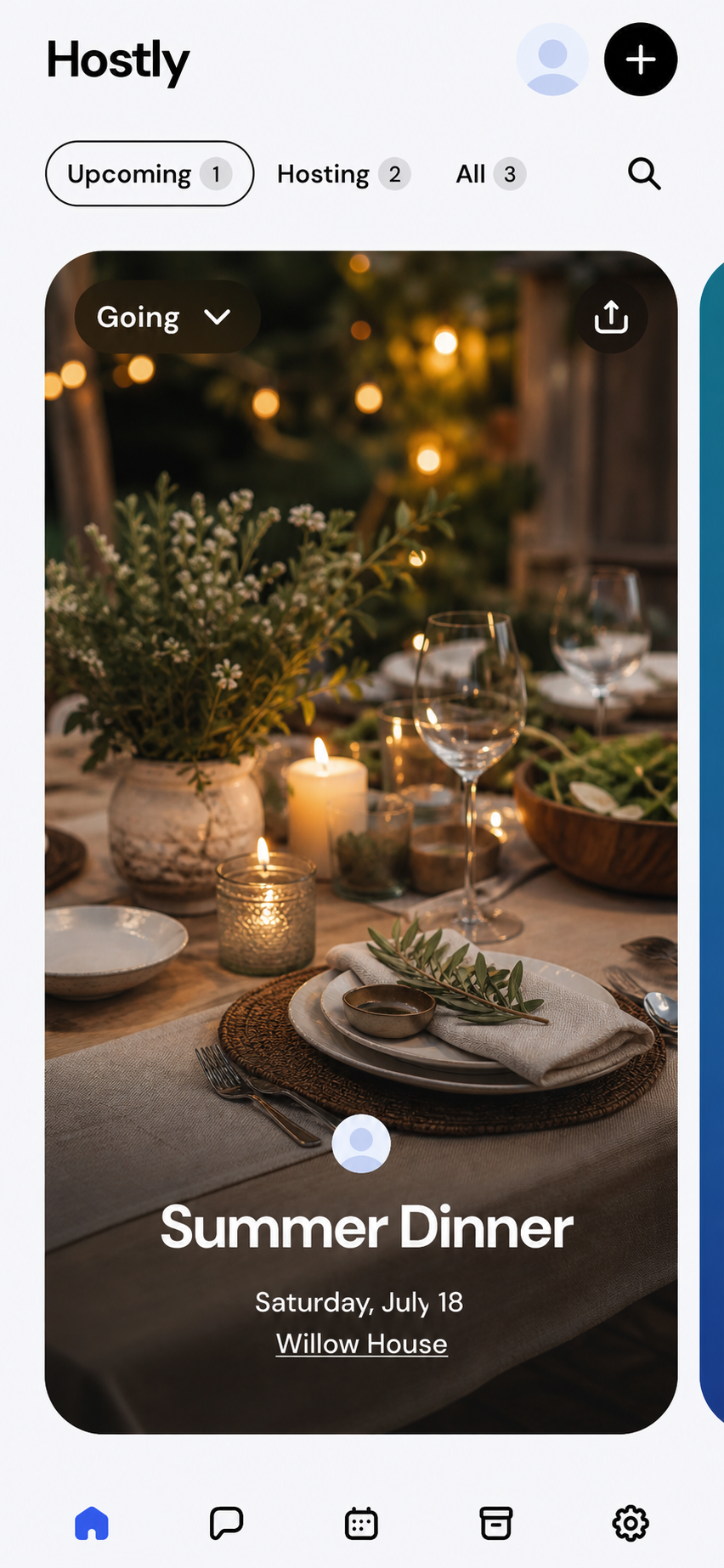
Open or respond to an event
Swipe through the event cards and tap one to open its event details. When an RSVP control appears on a card, you can review or change your response.
Expected result
You can quickly reach the event you need and understand whether you are attending or hosting it.Platform notes
Before you continue
Home uses the same tabs, card actions, search, and create button on both platforms.
Upcoming events are organized by their scheduled date. Past events remain available from broader event views when supported.
Troubleshooting
If something does not look right
An expected event is missing
Check All, search by event name, and confirm you are signed into the account that received the invitation.
The wrong RSVP appears
Open the event and choose your current response. Home updates after the latest RSVP is saved.
Understand how it works
Hostly concepts behind this task
See what is coming up
Home brings the events available to you into one place. Each event preview shows the details you need to recognize the plan—such as its name, date, time, and your relationship to it—before you open the full event.
Understand your event list
Upcoming plans are prioritized so the events that need attention stay easy to reach. Events you host and events you are attending live together, so you do not need to switch between separate hosting and guest views.
Open an event
Select any event to open its full workspace. From there you can review the latest details, respond to the invitation, see who is coming, use the planning tools, or catch up on the conversation.
Start something new
Use the create action to begin a new event, add the essentials, and invite people when you are ready. You can return to the draft as the plan develops instead of deciding every detail at once.
Common questions
Quick answers
What is the difference between Upcoming and Hosting?
Upcoming focuses on events ahead of you. Hosting shows the events where your role includes host permissions.
How do I create an event from Home?
Tap the plus button in the top-right corner, then complete the event details and invitation settings.
Explore further
Guides inside Home screen
Article feedback